
Le Figaro.fr: Actu en direct
Société du FigaroNews & Magazines
4.8263.00 Reviews
- Version
- 6.4.1
- Installs
- 5.00M
- Age Rating
- Everyone
Screenshots
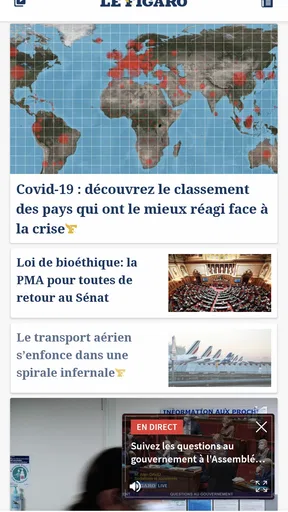
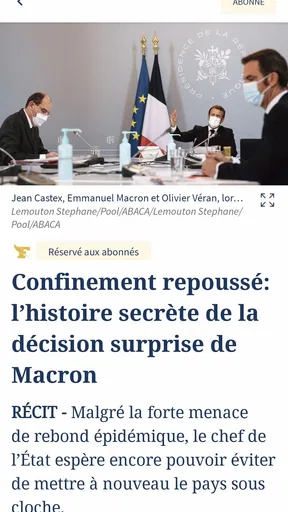
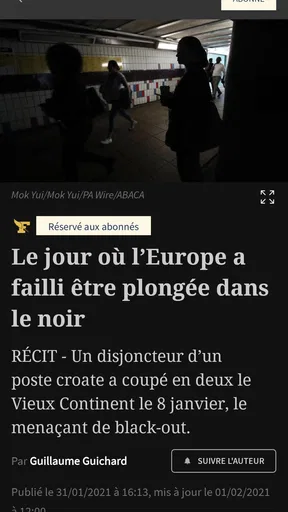
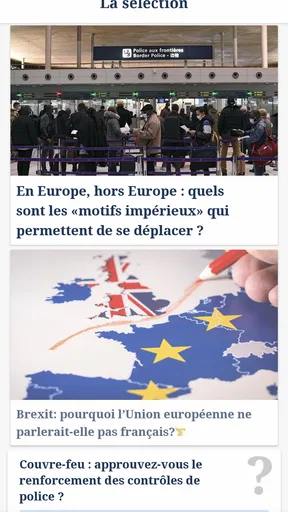
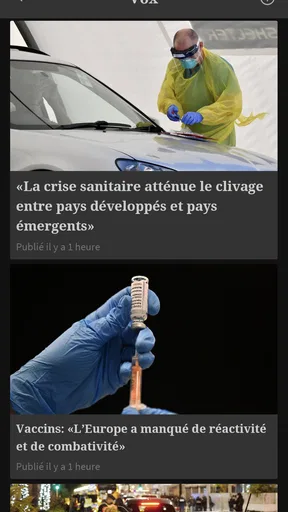
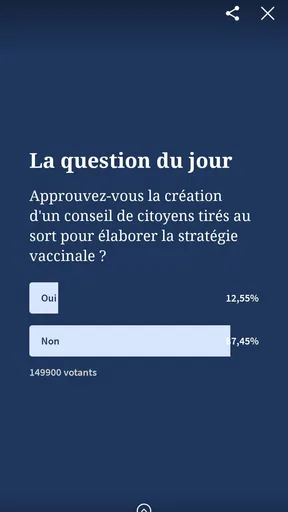

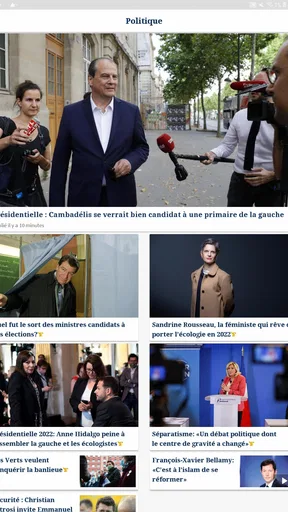
Our Review of Le Figaro.fr: Actu en direct
 Analysis by Appyee
When I check the news on my phone, I want to get oriented quickly without feeling pushed into an endless feed. Le Figaro.fr: Actu en direct is a French news app from Société du Figaro, and its strongest appeal is the mix of current coverage and a recognisable newspaper point of view. I’d consider it for following French affairs alongside international stories, especially if I’m happy reading journalism in French rather than looking for a neutral, language-agnostic news aggregator.
What to expect when opening the app
The first few minutes are less about chasing a particular feature and more about seeing whether the presentation suits you. The layout is intended to make news browsing feel familiar, with articles and subject areas arranged in a way that encourages scanning. That helps when I only have time to check the main developments, but the number of stories can still make a quick visit stretch into a longer reading session.
The app is free to install, though in-app purchases range from $0.99 to $309.99 per item. That makes it worth checking what an offer includes before buying, rather than assuming that every article or service works the same way. If I only want to browse occasionally, I would start with the free experience and decide later whether any paid option fits how I read.
Speed expectations and everyday reading
For a news app, speed is not just how quickly a screen appears; it is also how easily I can move from a headline to the story I actually want. A short check between errands should not require learning a complicated system. The practical test is whether I can scan a section, open a report, and return to the broader news flow without losing my place.
News coverage changes throughout the day, so I would treat the front page as a changing snapshot rather than a fixed reading list. A useful habit is to open the app with a question in mind—what changed in France, what is happening internationally, or what is the latest on a topic I follow—then leave once I have enough context. That keeps the experience purposeful instead of turning every spare minute into more scrolling.
Heavy-use moments: live coverage, video, and context
Live coverage is most useful when an event is still unfolding and a conventional article may not capture each development as it happens. I can see the appeal during a major political announcement or an important match: instead of repeatedly searching for a fresh story, I can follow a developing account in one place. The trade-off is that live updates can arrive faster than I can read them, so I would check in at sensible intervals rather than trying to watch every change.
Video offers another way into a story when reading is inconvenient, such as when I am taking a break and want a concise visual report. It is not automatically the better choice: video needs a suitable moment and connection, while text is easier to skim quietly or revisit for a specific detail. I would use each format for a different purpose instead of treating multimedia as a replacement for articles.
For a busier reading session, I would separate immediate updates from background reading. A live report can tell me what is happening now; a longer article or opinion piece can help me understand why it matters. That distinction is particularly useful with politics, where a sequence of headlines may not explain the context behind a decision. The app’s mix of formats gives readers a chance to make that shift without treating every story as the same kind of update.
Reliability, editorial identity, and comparison
Le Figaro has a clear editorial identity, which is both an advantage and a consideration. Readers who want a French newspaper’s reporting, analysis, and commentary in one place may find that consistency valuable. Those who need a broad comparison of viewpoints should pair it with other publications, since relying on one outlet alone can narrow the range of framing they encounter. I see it as a useful source, not a reason to stop checking elsewhere.
Compared with a general news aggregator, a newspaper app offers a more coherent editorial voice and a direct route into its own reporting. An aggregator may be better when I want headlines from many publishers side by side; this app is a better fit when I want to follow Le Figaro’s coverage specifically. Compared with a broadcaster’s app, its appeal is less about making video the centre of the experience and more about bringing together written journalism, live reporting, and video in a newspaper setting.
Reliability also means recovering sensibly when I am interrupted. If I open a developing story, get pulled away, and return later, I should check the latest update and the article’s context rather than assume the first screen I saw is still current. That is a general habit for following breaking news, but it matters especially in a live feed where details can change. I would also avoid treating a fast update as the whole story until there is enough reporting to understand what has happened.
Who it suits—and when I would choose another option
This app is a natural candidate for readers who follow France closely, want international coverage through a French newspaper, or enjoy moving between headlines and longer analysis. It can also suit someone learning French who wants regular exposure to contemporary writing, provided they are comfortable working through news vocabulary and the app’s language. Its Everyone content rating makes it broadly suitable from a content-rating perspective, but that does not mean every subject will feel light: news can cover difficult events.
I would point a reader toward a multi-publisher aggregator if their main goal is to compare headlines across outlets quickly. Someone who wants only short alerts, little commentary, or coverage centred on another country may also find a different publication more efficient. And if I am trying to reduce screen time, I would set a narrow purpose for each visit rather than relying on a constantly changing news stream to decide when I am done.
Device constraints and sensible habits
The app’s current version is 6.3.7 and its minimum operating-system requirement is version 9. That gives prospective users a straightforward compatibility check before installing, but performance can still vary from one device to another. I would not assume that a news app has no effect on a phone simply because it is not a game: articles, images, and video all make different demands during use, and video is the format I would be most selective about when conserving battery or mobile data.
If the app feels slow on an older or busy device, I would first distinguish between a temporary network delay and a broader problem. Trying again on a steadier connection, closing and reopening the app, or checking whether other content loads normally can help identify where the friction lies. I would not make a promise about loading time or battery use across all phones; those depend on the device, connection, and reading habits.
A practical routine is to use text when I need to read carefully, save video for a moment when I can watch comfortably, and revisit live coverage only when the event matters to me. That keeps the different formats useful without turning every visit into a resource-heavy session. It also makes the app easier to fit into a commute, a lunch break, or a quick check at home.
Getting Started with Le Figaro.fr: Actu en direct
First things first, downloading this app is a breeze. Available on both Android and iOS, Le Figaro.fr: Actu en direct makes it super simple to get started. Once you’ve installed it, you’re greeted with a clean and intuitive interface that just feels right. The colors are easy on the eyes, and the navigation is as smooth as butter.
One of the standout features right off the bat is the customizable home screen. You can tweak it to show the sections you care about most, whether it’s politics, sports, or the latest in tech. It’s like having your own personalized newspaper that evolves with your interests.
Diving into the Features
Now, let’s talk about what makes this app a real gem. The breadth of content is impressive. You’ve got everything from breaking news alerts to in-depth articles and opinion pieces. The app is constantly updated, ensuring you’re never left out of the loop.
One feature I absolutely love is the live coverage. Whether it’s a political event or a major sports match, you can follow along in real-time. It’s perfect for those moments when you can’t be in front of a TV but still want to stay informed.
Another neat aspect is the video content. Sometimes you just want to watch instead of read, and Le Figaro delivers with high-quality video reports that bring stories to life. It’s a fantastic way to get a more immersive experience of the news.
User Experience and Accessibility
Let’s chat about usability because it’s a crucial part of any app experience. Navigating through Le Figaro is as straightforward as it gets. The app is well-organized, and everything is where you’d expect it to be. There’s no fumbling around trying to find that one article you wanted to read.
Plus, the app supports multiple languages, which is a huge plus if you’re trying to brush up on your French or prefer consuming content in English. The settings let you switch languages easily, catering to a broader audience.
Why You’ll Love It
At the end of the day, what really sets Le Figaro.fr: Actu en direct apart is its commitment to quality journalism. The articles are well-researched, the reporting is thorough, and there’s a level of professionalism that’s sometimes hard to find in the digital age.
It’s also worth mentioning the community aspect. You can engage with other readers through comments and discussions, adding a social element to your news consumption. It’s like being part of a global conversation, right from your phone.
Final Thoughts
If you’re on the hunt for a comprehensive news app that combines elegance with functionality, Le Figaro.fr: Actu en direct is definitely worth checking out. It offers a seamless blend of breaking news, in-depth analysis, and engaging multimedia content—all wrapped up in a user-friendly package.
So, whether you’re a news junkie or just someone who likes to stay informed, this app is a solid choice. Give it a whirl, and you might just find it becoming a staple of your daily routine.
There is a strong public signal behind its reach: the app has more than five million installs and an average rating of 4.8 from around 46,000 ratings. Those figures suggest that many readers have made it part of their news routine, although they cannot tell me whether its editorial style or interface will suit a particular person. I would use them as reassurance that it is an established option, not as a substitute for trying the app myself.
The release history reaches back to October 4, 2011, and the current version is 6.3.7. For me, the important practical point is not the age of the app but whether the version available on my device behaves well with my reading habits. Before building a daily routine around it, I would try a few different sessions: a quick headline check, a longer article, and a live event if one is relevant. That gives a more useful picture than judging the app from a single opening.
A realistic day with the app
Imagine checking the news over breakfast, when I have only a few minutes. I would scan the leading stories, open one item that affects France or the wider world, and leave the rest for later. On the way home, if a significant event is developing, live coverage may be more useful than repeatedly refreshing several sites. In the evening, I might choose a longer report or video when I can give it proper attention. The value is in choosing the format to match the moment, not trying to consume everything.
For readers new to French news, a simple workflow can make the app less demanding: begin with a familiar subject, use headlines to learn the vocabulary around it, then open a deeper report only when the topic catches your interest. I would not switch languages merely to make browsing feel effortless if the goal is language practice; nor would I expect a news app to function as a structured language course. It can provide real-world reading material, but the learning benefit depends on the reader’s level and patience.
What to check before making it a habit
The app is free to download and rated for Everyone, but paid in-app items mean the cost of using additional offerings can vary. I would inspect each purchase screen carefully and make sure I understand what is being offered before confirming anything. A free install is a low-commitment way to explore the publication; it is not a reason to assume every part of the experience is free.
Readers also ask whether this is a good choice for following breaking news. I think it can be, particularly when a live account is available, but no single stream should be treated as a complete record of a changing event. For important stories, I would return to the report as it develops and compare coverage when context or differing perspectives matter. That is a better use of the app than relying on one early headline.
My performance verdict is measured rather than absolute: the app’s varied reading formats and familiar newspaper approach make it promising for regular news checks, while the real-world experience will depend on a person’s device, connection, and tolerance for a busy news cycle. I would recommend trying it to someone who wants Le Figaro’s take on French and international events. If what you want is a broad, outlet-neutral overview or a feed limited to brief alerts, I would choose a different kind of news app instead.
Verdict
Strengths of Le Figaro.fr: Actu en direct
- Comprehensive news coverage.
- User-friendly interface.
- Real-time updates.
- Customizable notifications.
- High-quality journalism.
Limitations of Le Figaro.fr: Actu en direct
- Frequent ads can be intrusive.
- Occasional app crashes.
- Limited free content.
- Language barrier for non-French speakers.
- Some features require subscription.
Similar Picks in This Category
View All
Google News - Daily Headlines
Google LLC4.0

X
X Corp.4.8

Flipboard:Your Social Magazine
Flipboard3.4

Opera News: breaking & local
Opera4.5

Hindi News by Dainik Bhaskar
Dainik Bhaskar Group4.0

Way2News Daily News App
Way2News ( Formerly Way2SMS )4.6
Frequently Asked Questions
What features does the Le Figaro.fr app offer?
The Le Figaro.fr app provides a comprehensive news experience with live updates, in-depth articles, and multimedia content. Users can access breaking news, personalized content recommendations, and exclusive reports. The app also includes interactive features like polls and comments, allowing users to engage with the news and other readers.
Is the Le Figaro.fr app free to use?
Yes, the Le Figaro.fr app is free to download and use. However, it also offers a premium subscription option that provides access to exclusive content and an ad-free experience. Users can choose to enjoy the basic features at no cost or upgrade for additional benefits.
How often is the content updated in the Le Figaro.fr app?
Content in the Le Figaro.fr app is updated continuously throughout the day. The app offers real-time news updates, ensuring users receive the latest information as it happens. This includes breaking news alerts, detailed articles, and multimedia content to keep users informed at all times.
Can I customize news topics in the Le Figaro.fr app?
Yes, the Le Figaro.fr app allows users to customize their news feed based on personal interests. Users can select specific topics or sections to follow, such as politics, economy, sports, or entertainment, ensuring they receive news that is most relevant to them, directly on their home screen.
Is the Le Figaro.fr app available in multiple languages?
As of now, the Le Figaro.fr app primarily offers content in French, reflecting its focus on French news and audiences. While some articles may be available in other languages, users primarily seeking content in English or other languages might need to use translation tools for a comprehensive experience.
